28 Jan 2026
Dear Valued Customers,
As we begin January 2026, we would like to thank you for your continued trust in Synergix ERP Software. To start the new year strong, we are excited to introduce a series of enhancements designed to support smoother operations and smarter business management.
From improving system usability and strengthening control across core modules to enabling faster, more informed decision-making, these updates are built to help your team work with greater efficiency and confidence in the year ahead.
We truly appreciate your ongoing partnership. Let’s take a look at what’s new this January!
PAYROLL & FINANCE
1.Auto refresh employee timesheet when user update employee salary amount (FC: TH6_EMPLOYEE_PY_SCHEME_V1)
In Payroll Module, there is a case where users update the employee’s salary amount after the timesheet is submitted and approved and they forgot to go to timesheet screen and do the refresh. This leads to the wrong payslip amount calculation, come from a mismatch between the setup and the calculation.
With this update, when an user update employee’s profile with new salary type, salary amount or payroll scheme, system will find the pending timesheet vouchers that have timesheet date overlap with the effective period of new salary information, do the refresh process, and inform users immediately. This will update timesheet amount to follow new settings and reduce HR workload.
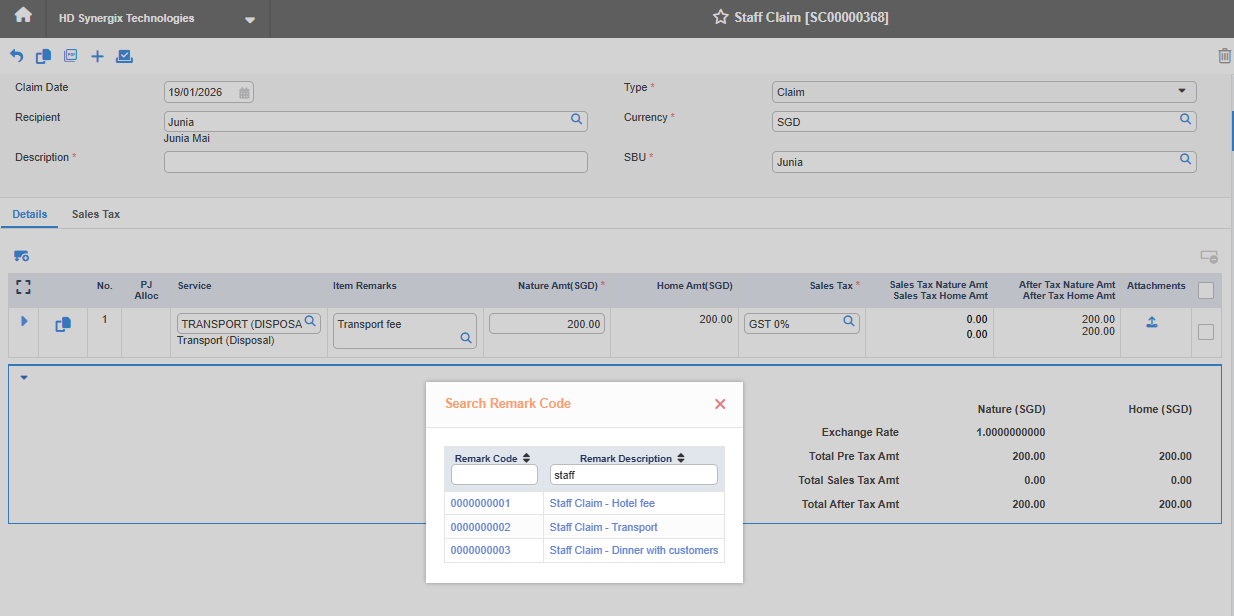
2.Staff Claim screen to handle Line Item Remarks Options (FC:TH6_STAFF_CLAIM)
On Staff Claim Screen, users can set up the default remarks value for staff claim line item, then, whenever user create a new line item, system will auto update Remarks field of that voucher to the default value. Users also can choose an alternative remark from the remarks list, ensuring consistency and faster input. And, they still can key in manually if needed. Sometimes, users need to key in same remarks for staff claim transactions again and again, this feature will help to reduce user workload.
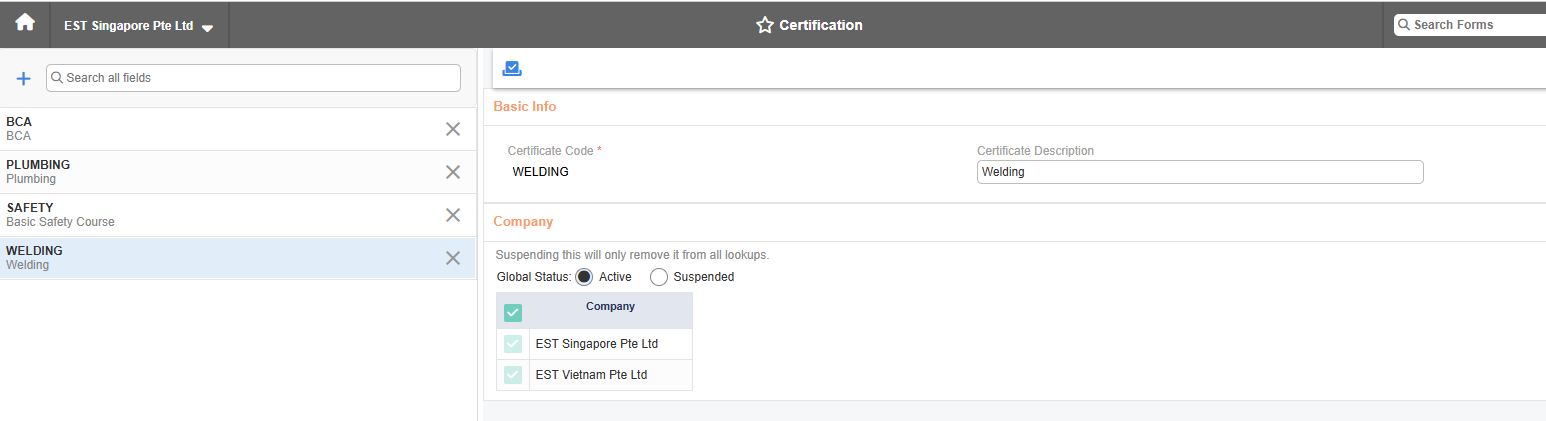
3.Payroll: Certification Master (FC: TH6_CERTIFICATION, TH6_GLOBAL_EMPLOYEE_E1_PY_SCHEM, TH6_EMPLOYEE_PY_SCHEME_V1, TH6R_PY_100034)
Synergix ERP Software support customers from various industries, each has own set of certifications. Even within the same industry, certification requirements may differ based on worker skillsets and can evolve due to regulatory changes.
Enhancements details:
Certification screen: User can create and manage certification codes.
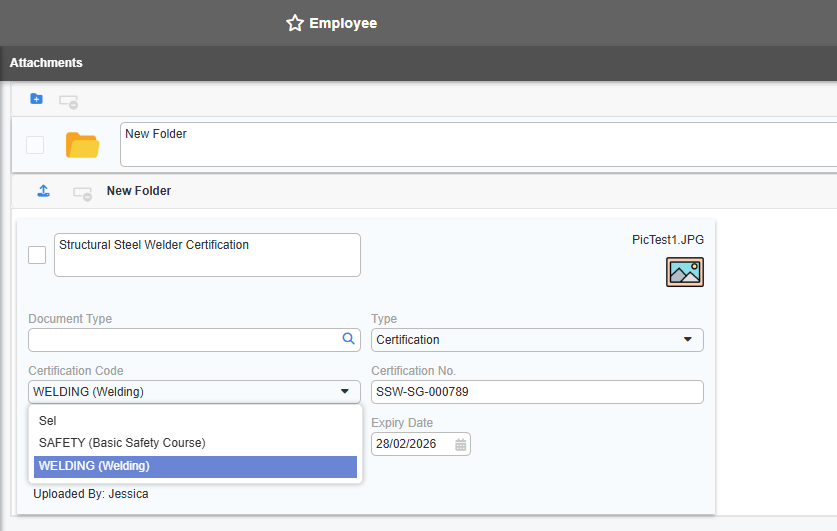
Employee master screen -> Attachment: Field Certification Code is displayed for user to select if type of attachment is certification.
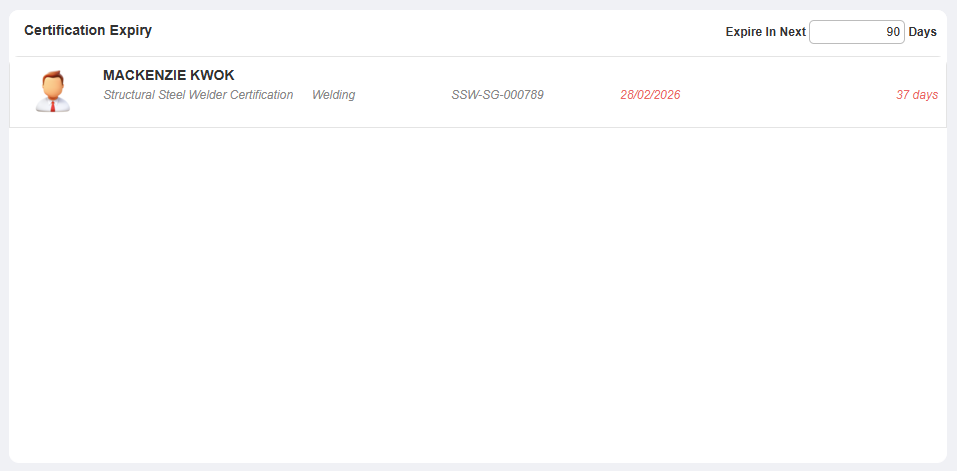
Certification Expiry dashboard: Display certification code description in details.
Employee Listing report: Add new column Certification Option to show certification code description.
Benefits to users:
The new Certification screen allows customers to set up and manage their own certification sets based on their business needs. Employees’ certification attachments can now be tagged with customized certification codes in employee master and are reflected in dashboards and reports.
PROJECT & CONTRACT
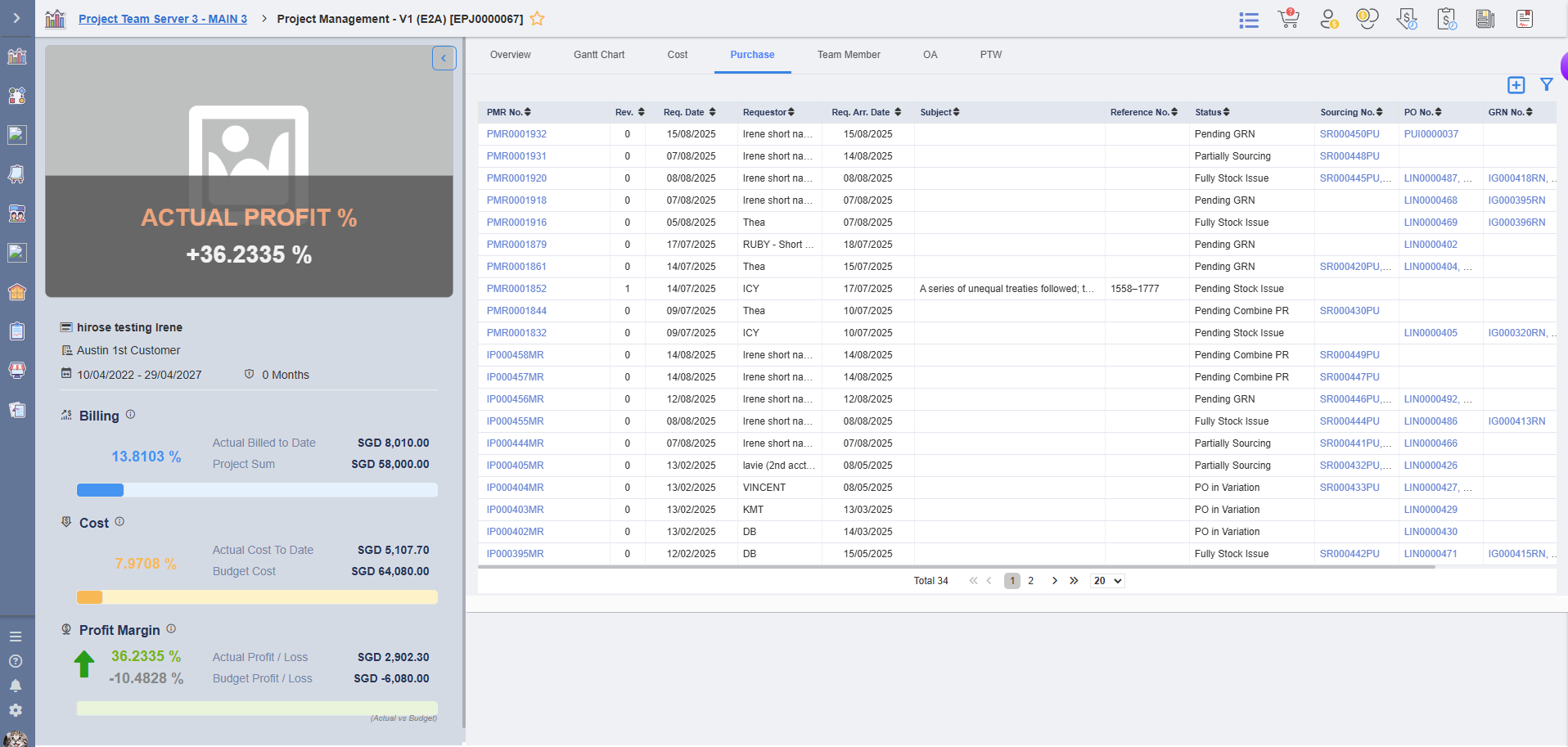
4.Project Management Screen updates in Team Member tab & Purchase tab (FC: TH6_PJ_PROJECT_MANAGEMENT_V1_E2A)
In Synergix ERP software Project module, we have made changes on Project Management screen:
– Display list of project team member under Team Member tab on Project Management screen
– User is able to edit team member information
– Display completed PMR vouchers of the Project under Purchase tab on Project Management screen with its status and respective voucher no. at subsequent stages
– User is able to view details of each voucher by clicking to the voucher hyperlink
– User is able to filter and sort the data under Purchase tab