




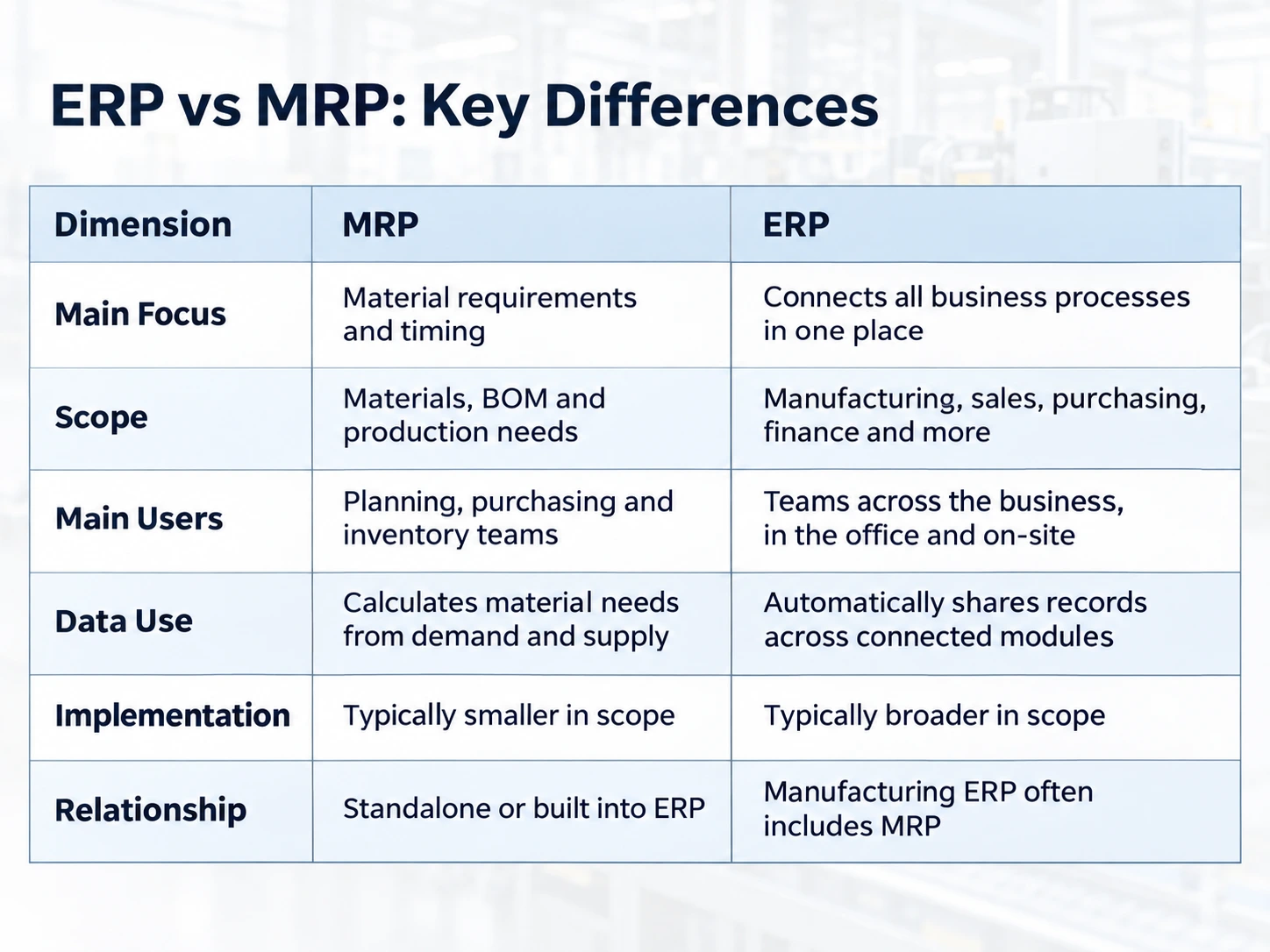
MRP calculates which materials a plant needs and when. ERP connects that calculation to purchasing, inventory, production and finance in one database, so the same requirement carries through to the supplier invoice and the finished job cost. Most manufacturing ERP systems include an MRP engine, which makes the practical question one of scope rather than one system or the other.
This guide reveals the key differences between ERP vs MRP for manufacturers and sets out what to check before you choose software.
What Each System Does
MRP – Material Requirements Planning
MRP – Material Requirements Planning (1970s) calculates which materials are needed, in what quantities and by when, based on the production plan and the supply available to meet it. It starts with the bill of materials (BOM) and instructions needed to make a product. It then nets those requirements against stock and open supply. MRP can run as a standalone application or as a part of a manufacturing ERP.
MRP II: Manufacturing Resource Planning
Manufacturing resource planning software (1980s) is the combination of the MRP calculation with supporting applications such as sales, inventory, purchasing, BOM, production control and finance, according to SAP. ERP became the dominant name for these wider systems. Suppliers use the three terms loosely, so ask which one they mean, especially when they talk about labour, machine capacity and scheduling.
ERP: Enterprise Resource Planning
ERP connects core business processes such as finance management, HRMs, CRM, supply chain management, production planning, sales and many others on one shared database. Synergix has made a guide to what ERP is that already covers the basics.
Read more: What is the Manufacturing Resource Planning System?
Does ERP Include MRP?
Usually, yes. MRP began as a standalone calculation in the 1970s and standalone MRP products still exist, but most manufacturing ERP systems sold today carry an MRP engine inside them. Buying an ERP does not mean giving up material requirements planning; it means the calculation sits alongside purchasing, stock and costing rather than beside them in a separate file.
That reframes the decision. The question is rarely whether to run MRP, because any plant making to a bill of materials needs that calculation. The question is how much of what happens after the calculation you want the same system to handle: the requisition, the approval, the purchase order, the goods receipt, the material issue and the job cost.
ERP vs MRP System: Key Differences in Daily Manufacturing Work
Here is the ERP vs MRP comparison for the work a plant does every day.
The Question Each System Answers
- MRP asks what the plant needs, how much, and by when. It reads stock and supply data and calculates material quantities and required dates from the production plan.
- A manufacturing ERP asks a wider question: what did it cost, who approved it, and did the job make money? It connects the material requirement to purchasing and the other transactions around it, which covers ground that a planning calculation on its own leaves open.
Purchasing and Inventory
- MRP proposes replenishment when it finds a shortage.
- An ERP records the stock movements themselves, including receipts, issues and transfers, and supports the whole purchasing chain from requisition and approval through purchase order, goods receipt and supplier invoice.
In practice, MRP tells purchasing what to chase, and the ERP carries that request through to the supplier invoice.
Production Execution and Finance
- What MRP covers here depends on the functions a given product includes, and finance coverage varies in the same way.
- A manufacturing ERP can connect work orders, material consumption, production reporting and quality records, and it ties those operational transactions to accounting and reporting. That link lets a plant see what a finished job cost instead of rebuilding the figure from separate files.
Read more: How ERP Enables Smart Manufacturing for Singapore SMEs 2026
Machine and Labour Capacity
Basic material calculations show what is needed and when. They say nothing about whether machines or labour are available to do the work. Some ERP systems include capacity planning or scheduling, so check what each proposal provides before you assume it is there.
What Happens After the Calculation
These comparisons describe core functions, and individual products may cover several of these areas on either side. The practical ERP vs MRP difference is what happens after a requirement is calculated. If a planner exports the result, purchasing re-types it and finance receives a separate spreadsheet; the calculation may work while the handovers stay manual. In an integrated ERP, the same record can carry through to goods receipt and costing without re-keying.
Synergix’s Manufacturing ERP is a Tier 2 ERP, which is able to combine demand that comes from Customer Orders, backorders and minimum stock levels, and then displays the gross requirement for each period in relation to the current stock.
- Planners can raise a purchase requisition directly from the MRP screen and it is sent for approval before a purchase order is sent out.
- Work orders can be assigned by work-centre capacity, displayed in a calendar view and manually assigned for urgent orders.
- Users can manage multi-level BOM at ease and maintain a history of changes.
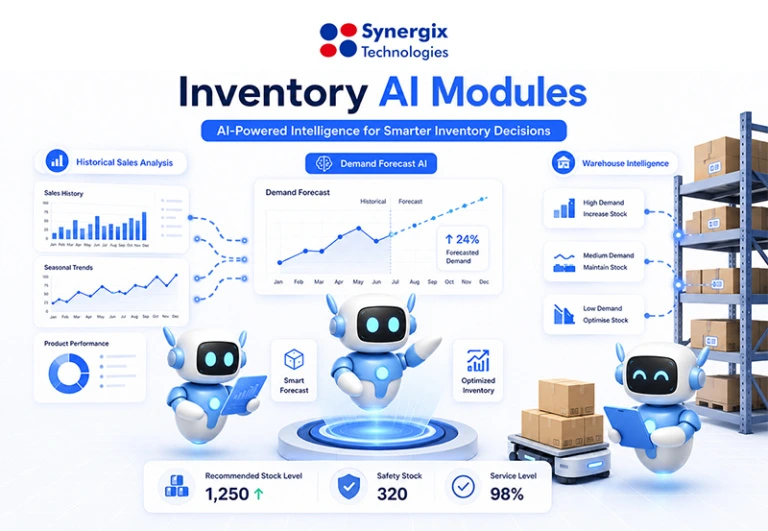
- With our new features in Synergix AI-Powered ERP, it keeps production schedules smooth, anticipates inputs, monitors quality control and manages purchase inputs more effectively.
Which System Should Your Business Choose?
Choose MRP When Planning Is the Only Gap
An MRP system can be suitable for a company that already has a good working relationship between accounting, sales and purchasing, and planners are still doing the component planning by hand. Ensure that the proposed system is capable of (and note the number of data preparations required for each option):
- Control your BOM levels, UOM and revisions
- Take into consideration stock allocations and dates of supplies.
- Seamlessly sync data with your existing apps.
- Adjust planning if necessary and inform those responsible.
Choose Manufacturing ERP When Problems Cross Departments
More extensive integration is relevant if the same order is entered more than once, the stock movement is entered later than planned, or the job costs are combined from separate files. Signs to look for:
- Purchase requests are approved over WhatsApp or email with no record against a budget
- Warehouse counts differ from the stock figure in the planning system
- Accounts re-key goods receipts and supplier invoices
- Nobody sees the cost of a finished job until weeks after it ships
- More than one site or entity buys from the same suppliers
If several of these are true, the weak link is between the departments. It won’t be addressed by a better planning run.
6 Tests to Run in an ERP or MRP Demo
Take an up-to-date order that has a genuine planning issue and request the supplier to go through five changes on that order. Every change represents something that occurs in most plants every week and every one challenges a different handover point between planning, procurement, the warehouse, production and finance. Those handovers are the areas where the ERP vs MRP types of systems are most different.
1. Change the Order Quantity
After planning is complete, customers change an order and the change needs to be communicated to all those who have acted upon the previous order. If the system recalculates requirements, it will indicate which purchase orders are open and will inform the buyer what has changed; thus, the buyer can make the necessary adjustments prior to ordering twice, or ordering too little. When a planner needs to redo a report and forward it to purchasing, the change is not made in time and the end result is over- or under-stocking with the buyer. Review material needs update, visibility of open commitments, and who is notified.
2. Move a Supplier Receipt Date
This test is a practice of the bracket example. If the order is open until 25 November, but the requirement is dated on the 15th, then a system that compares total quantities will display the incorrect shortage. Request that the supplier hold up on receipt date to receive it after the need date. The shortage should be noted on the date on which the material is required and should be read by the appropriate person. It separates a date-based system from a system that only counts the stock and places orders.
3. Introduce a BOM Revision
If the bill of materials contains an error, this will be repeated in each batch and the wrong part will be purchased, issued and costed every time. Changes are normal and part of the process, as parts change and so do designs and substitutions occur. Discuss how the right version is chosen for printing, who can approve a revision and what is done with the old version when the new one is released. You want to have a clear rule and an audit trail, because if you don’t, it means you’ll choose the version by hand.
4. Record an Extra Material Issue
More material than planned is consumed by operators, as a result of scrap, rework, or spoilage. If the additional issue is not posted to the job, the stock count will slowly deviate from reality and the job’s cost will appear less than the actual cost. Request the supplier to document another problem and demonstrate that it could be linked to a job and the person who gave it and the intended amount. Comparing planned and actual use is what allows you to go back and trim your BOM and find out where your margin is going.
5. Complete the Order
Numerous demonstrations end once the plan is completed. The importance of integration is realised at the end of the chain, when finished goods are added to stock, material used and jobs have a cost. Afterwards, without having to retype all the production, inventory and costing records, fill in the order and see which records are still available. It’s also the time to request the variance report and review the actual use vs. the plan.
6. Agree Measurable Outcomes First
Some helpful metrics are: Material Shortage Incidents, Emergency Purchases, Stock Discrepancies, and Reconciliation time for production records. Take the baseline first.

Conclusion
The ERP vs MRP system choice begins with the challenge that your team must solve. Pay attention to material planning if planners need to be sure to know how many components are needed and when. If there are still delays and errors when the system is proposed, check how it ties sales and purchasing, warehouse, and production to finance.
Bring us a recent job that gave you trouble and we will walk through where the first shortage appeared and what it cost by the time the job shipped. We will also tell you plainly if material planning alone would serve you better than a full ERP.