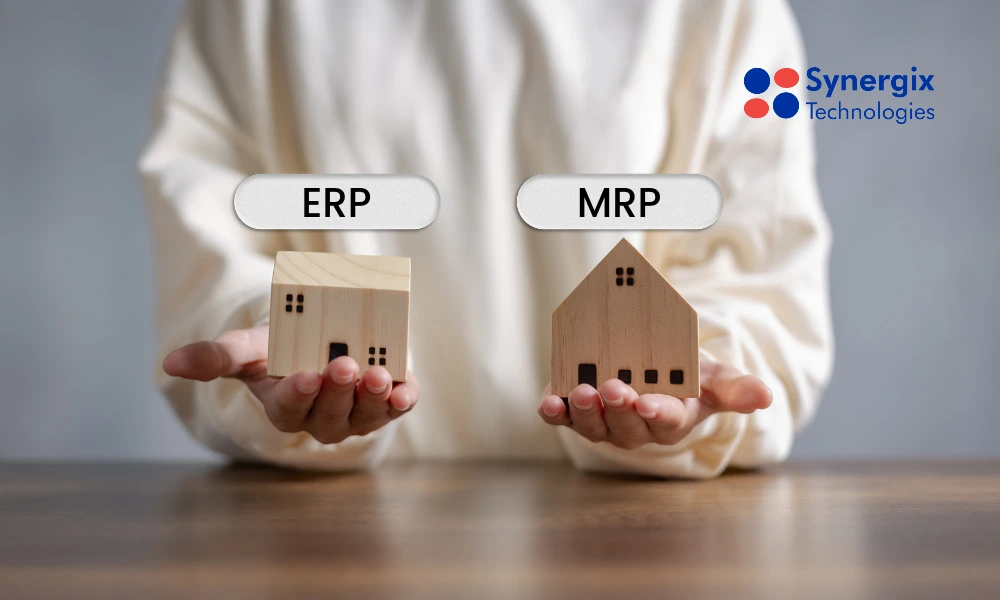



Cloud ERP is hosted by the vendor and accessed through a browser or mobile app on a subscription, while on-premises ERP is installed on the company’s own servers for a high upfront cost. The practical difference is who carries the burden of IT staffing, security patching, and upgrades.
| On-Premise ERP | Cloud ERP | |
|---|---|---|
| Payment model | Large upfront payment | Monthly or annual subscription |
| Accounting treatment | Capital investment | Operating cost |
| Additional costs | In-house IT salaries, hardware | Included in subscription |
| IT staff required | Yes, professional team | No |
ERP System Deployment Methods
An on-premises ERP software is installed locally on a company’s physical office using its own equipment and servers. With full control over the system, the organisation is able to directly configure and manage the computing infrastructure and data to automate organisational processes.
On the other hand, a cloud-based ERP system is hosted on a cloud computing platform, which usually belongs to the ERP software vendor engaged by the organisation.
Based on the role of the Internet in the computer network, the term ‘cloud’ abstractly refers to the infrastructure of the Internet, which is provided as a service to software users. Therefore, cloud ERP system users are able to access and update data with real-time synchronisation through a web browser or through a mobile application. They are provided with all the benefits of an Enterprise Resource Planning system to focus more on their core business operations without worrying about the IT infrastructure, system maintenance and other related concerns.
Implementation and Training

As mentioned above, organisations that own an on-site ERP system have more control over their implementation process. Therefore, businesses will be able to flexibly schedule their own ERP software installation as well as choose when to conduct training programs for their staff members according to their work schedule.
Cloud ERP system users, on the contrary, are usually provided with a full service of support, data backups, data migration, as well as implementation fully conducted by experienced ERP solution vendor technicians. Dedicated training support on how to operate the cloud software properly will be provided by ERP software specialists at the agreed location (vendor’s premises or company’s office) to facilitate the learning of the new ERP system.
Security and Customisation
When having an ERP system installed in-house, organisations should employ a professional and experienced IT team who can practice necessary system security protection, software improvements, and maintenance, as there is no free support from the ERP software vendor. Such heavy requirements for IT staff are not compulsory for companies acquiring a cloud-based ERP solution.
Reputable cloud ERP vendors always have strict policies and standards to support companies with frequent software upgrades and security patches, which are consistent with the ongoing changes to better avoid cyber threats in the technology era.
In Singapore, cloud providers can be certified against the Multi-Tier Cloud Security standard (MTCS SS 584), which sets three tiers of security certification. Asking a vendor which tier they hold is a faster check than reviewing their security policy.
That said, control is itself a security consideration. With an on-premises ERP, company data stays on hardware the organisation owns, inside its own network.
For businesses operating under data-residency obligations, contractual restrictions from clients, or internal policies that prohibit storing operational data with a third party, that control is not a preference but a requirement. It also means the organisation decides when patches and upgrades are applied, rather than working to the vendor’s release schedule, which matters where a system change has to be tested against regulated processes before it goes live.

Cost Comparison
Aside from the variables affecting ERP system costs of an organisation such as a business’ size, unique requirements, customisation and the scope of usage, there is a big difference in the ERP quotation of the cloud-based and on-premise software.
Companies having ERP software installed on their own server will make a considerable upfront payment to have full management over the ERP system. In addition, there could be excess expenditures incurred in order to utilise the system properly. This could include salary paid to the in-house IT staff and hardware investments, which could be considered a large upfront investment to small businesses.
With a cloud ERP system, users will save on incurring expenditures related to IT staffing, power consumption, maintenance, and security. As an ERP system’s full-service cost is often paid as a monthly or annual subscription, this expense can be considered the operating costs of an ERP system, significantly reducing the financial burden for businesses in the long run.
Flexibility: Where Cloud ERP Pulls Ahead of On-Premise
In terms of flexibility, ERP systems deployed in the “cloud” far outweigh the traditional on-premise ones in several aspects. On the grounds that most cloud ERP software is developed into various modules, organisations can easily pick up or add on required functions based on their operational demands without making drastic, time-consuming back-end changes.
Another highlight of cloud ERP software is the user-friendly mobile application which enables flexible accessibility and processing out of the office, on the go.
On-premise systems have their own form of flexibility. Because the software runs inside the company network, performance does not depend on internet bandwidth or availability, which matters for sites with unreliable connectivity or operations that cannot pause when a line goes down.
Direct access to the server and database also makes it easier to connect equipment already on site, such as shop floor machines, weighbridges, barcode and RFID scanners, where the integration is local rather than routed through an external platform.

Should Your Business Choose Cloud ERP or On-Premise ERP?
Company size is a rough guide rather than a rule.
- On-premise ERP suits organisations with the financial capability and IT headcount to manage the system themselves, and it is often the right answer for businesses in construction, marine engineering and manufacturing where data residency, client contract terms, or control over on-site infrastructure carry real weight.
- Cloud ERP suits organisations that would rather not carry that responsibility, particularly SMEs looking to reduce the upfront cost of digitisation while keeping system stability and remote access. Synergix is available in both deployment models, so the question is which fits how your business runs, not which product you can have.
The main aspects to make the decision on an ERP investment is to consider your business’ requirements, capability and select a prominent ERP provider. You can follow this 5-step ERP selection guideline to find a fitting ERP solution for your long-term utility in due time.
If this post has made you more confused and overwhelmed by the numerous ERP options in the market, feel free to contact us with your requirements. Allow our experienced and dedicated ERP software consultants to advise you on the appropriate ERP solutions for your business and also recommend Singapore Government grants suitable for your business as it embarks on its journey into digitalisation.