


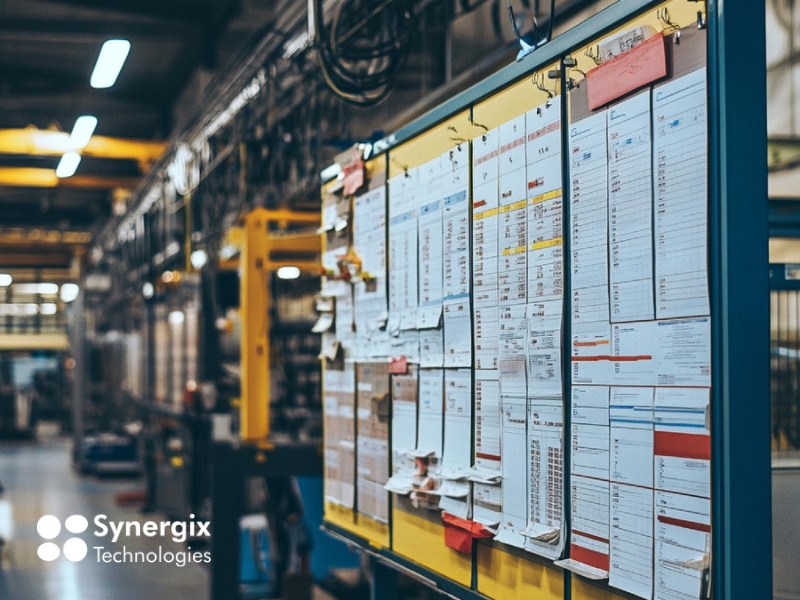
On average, facilities lose 30 hours of production per month to downtime, and 6 in 10 leaders say these disruptions cost their businesses more than $250,000 annually (L2L 2025 survey of 600+ US manufacturing leaders). Each of those late machine deliveries, each idle machine, each overtime shift has a cost. The vast majority of times, the answer is the same: a production schedule that is unable to keep up with what is actually going on the floor.
That problem is solved by a manufacturing production scheduling software. It schedules which job(s) should be executed, on which machine(s), in what order, and when, and adjusts the schedule in response to changes in orders or conditions.
If you continue to design your schedule on a spreadsheet or whiteboard, this guide covers how the software works, which features are critical and what you can use to determine if it’s right for your plant.
What Is Manufacturing Production Scheduling Software?
Production scheduling software for manufacturing helps you determine where and when each production job is to be scheduled, depending on your orders, materials, machines and labour. Converts a list of demands to a viable plan that can be followed by the shop floor.
It can serve as a useful clarification of three terms which are often confused: Production planning, scheduling, or both
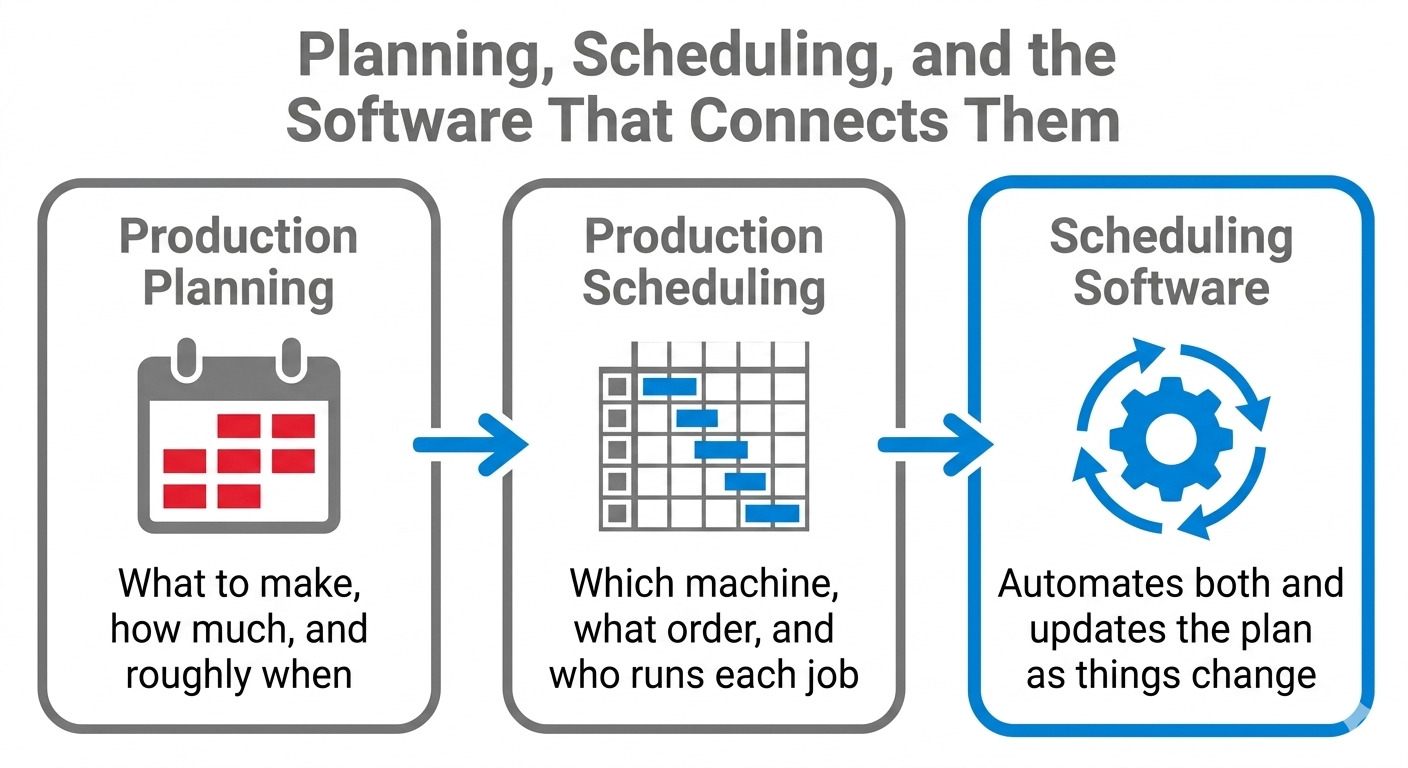
In most factories, this software is part of a larger system, like an ERP, or a manufacturing execution system (MES). The ERP stores orders, stock and financial information, and the ERP scheduling module generates and optimizes the plan based on this information. It may not always be necessary to have a separate product, but it must be scheduled to fit into the rest of your operation.
>> Read more: Manufacturing Execution System vs ERP Explained
How Production Scheduling Software Works
A scheduling system goes through 3 phases: 1) accepts data, 2) uses logic to create a sequence, and 3) outputs a plan that the floor will execute.
Inputs
The software gathers the data that drives a schedule, such as open sales orders, material availability, labour capacity, machine capacity, due dates, routings, bills of materials, and demand forecasts. This data is one of the reasons why a clean connection to your ERP is important, as it is a key component of the quality of the schedule.
Scheduling logic
Those inputs will sequence workloads based on the actual capacity you have. This is where the real work begins and most schedules will come with some compromises. Could complete one order late and then another order late as a result.
Routine jobs can be grouped to reduce machine changeovers yet can delay a due date. There are two common approaches that differ in their treatment of this.
Infinite capacity scheduling implies that resources are always available and it’s helpful for a general plan. Finite capacity scheduling takes into account actual machine and worker capacity constraints, creating a plan that is achievable.
Constraint-based scheduling is another popular method, where your sequence is determined around your most constraining component.
Outputs
This provides a viable timeline (typically as a Gantt chart or visual board) and obvious indicators of what can be ordered and what is to be sent next. Good systems also reschedule in real-time (not once a day).
Let’s take the example of this simple one. A rush order is received at 2 pm. The system determines capacity, identifies a free slot on the machine on the right, and re-queues the jobs so that the new job can be added without violating your most important due date. It then marks everything that you would like to pull up. Planner used to take an hour; it now takes seconds.
>> Read more: What Is Cloud ERP & Why Do Businesses Need It?
The main features of production scheduling software for manufacturers
The majority of scheduling products have a long list of features, but a few capabilities make or break a schedule when it is put to the test. These are the ones you should be familiar with before you look at other options.
Material requirements planning (MRP)
MRP determines the required materials for a job, and when they are required, parts are available when a machine is available to process them. It is not very useful to have a great schedule if the materials are not available to assist us in this.
Master production schedule (MPS)
The MPS is the overall plan, from which all other plans are developed. It brings together all demand, open orders and available capacity in one shot of what the plant will be producing in the next few weeks.
Advanced planning and scheduling (APS)
It runs sequences, performs “what if” analyses and suggests job sequences for optimum utilization of resources. When ordering something and it gets pushed up the queue, this is the feature that tells you what happens!
Capacity and labour planning
Availability of machines is not the whole story. Great software also verifies if you have the proper people, the proper skills, and the correct time shift before scheduling a job.
Demand forecasting
When scheduling based on the ‘test’ demand, it is not just confirmed orders that are scheduled; it allows you to line up materials and capacity in advance. If you’re forecasting, you’re anticipating demand rather than responding to it.
Visual scheduling
A drag-and-drop board provides planners with a bird’s-eye view of the entire shift. Although most of the sequencing is done by automation, being able to see a clash and move a job manually on a day-to-day basis is useful.
Live shop floor visibility
Schedule to show current activity, not what was scheduled earlier in the day. Live status enables the system to identify a bottleneck early and allow time to react.
Not all of the features will be necessary initially, but being aware of what each feature is will make it much easier to distinguish between a good and a simple product.
The Benefits of Manufacturing Production Scheduling Software
Only features that alter the floor count. This is where production scheduling software can make a noticeable impact
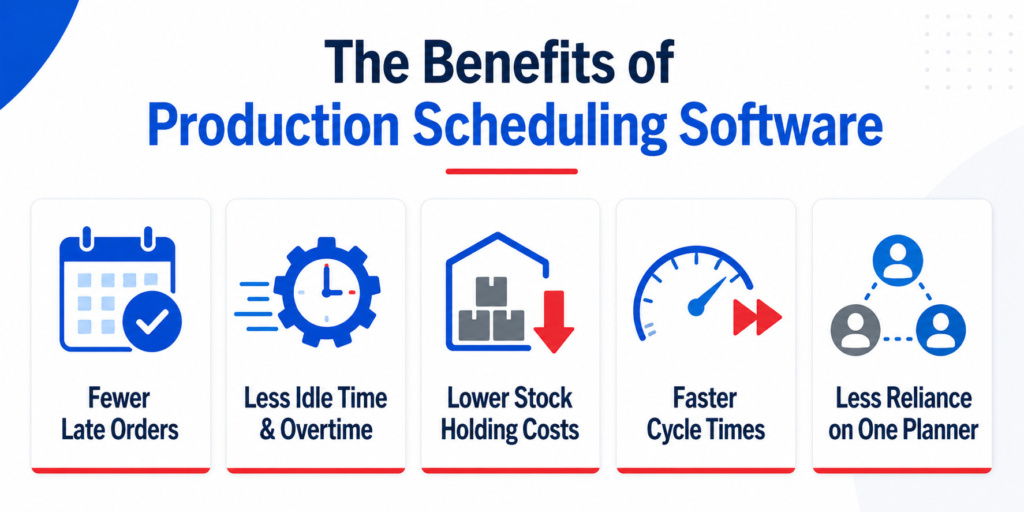
- Fewer late orders: When the schedule is realistic and updated as things change, the given due dates are less likely to be late. On-time delivery improves, and customers have greater confidence in dates promised.
- Less idle time and overtime: jobs are sequenced in a way that ensures machines and people are working, thereby minimizing the breaks in the working day. You also save money on overtime you have to work to recover from a plan gone wrong during the week.
- Reduced stock holding costs: By aligning the schedule with actual demand, you have less inventory waiting to be consumed. This makes cash and floor space available to be used for something else.
- Faster cycle times: Improved sequencing, reduced changeover – and faster through the plant without asking anyone to work harder.
- Reduced dependency on one planner: In many factories, the planning is dependent on the knowledge of one experienced person. Software moves that knowledge into a system that any staff member can view and operate, so that the operation doesn’t come to a standstill because of that person’s absence.
These gains will rely on accurate data and a system that works for you. Producers who obtain both rights notice the improvement within the initial few months of use.
Usually, manufacturers can achieve 20-60 percentage point improvements in on-time delivery, 50-80 percent savings in labor scheduling time, 4-10 percent more capacity in the same amount of resources, and payback periods of 30-90 days. (Source)
How AI Is Transforming Production Scheduling
Scheduling was always done on a fixed set of rules. The logic was set, the system worked according to it, and whenever there was a discrepancy, the planning took over.
Many software applications operate like this, but that is evolving, and the key to understanding the change is to invest before. 95% of all predictive maintenance adopters see a positive ROI and the U.S. Department of Energy states that predictive maintenance programs can lead to a 35-45% reduction in downtime.
The change is from rule-based to data-based learning. Instead of a planner having to respond, newer systems can anticipate what is to come and make adjustments accordingly. That is the practise of:
- Demand-driven scheduling: Based on your sales history and patterns, AI predictions lay out a plan and loads materials and capacity into the plan before orders come in.
- Dynamic rescheduling: The system automatically recalculates the sequence when a machine is down or a rush order arrives and shows the planner the best sequence, rather than forcing the planner to rebuild the sequence.
- Bottleneck prediction: AI can identify a constraint before it stops production by recognizing patterns in real-time shop floor data.
- Smarter reorder timing: The system learns supplier lead times and usage patterns, then recommends when to reorder to help minimise stock and shortfalls.
If there is no demand driving the forecasts, then the forecasts are unreliable. Products with consistent and predictable demand have a high level of accuracy. For slow-moving or seasonal products, the drop is simply because there is less of a pattern to be learned. No vendor can guarantee absolute prediction for all products, which is over-prediction.
This is what the more robust systems are going. For example, Synergix integrates demand forecasting and resource scheduling on the same platform, and the forecast is based on the same data as the scheduling. The brand isn’t the issue. It’s about integrating AI into your scheduling experience, not adding it on as an additional app.
>> Read more: Synergix: Your AI ERP System for Business Success – Synergix Technologies ERP System

What to Look for When Choosing Software
After making yourself familiar with the functioning of the software, it becomes easier to make decisions about the options. Several questions can help you weed out a system that is suitable for your plant and weed out one that will create more work than benefit.
- Is it linked to your ERP or MES? Accurate order, inventory, and capacity data form the basis of scheduling. A system that will blend in with your operation will yield a highly dependable schedule, as compared to one that stands alone.
- Does it work for your manufacturing business? The needs for discrete manufacturing and process manufacturing are different. Ensure the software is suitable for your production process, whether it is assembly, machining, batch or continuous process.
- Does it have finite-capacity scheduling? A plan you can run is one where you have taken into account the hard limits of your machines and people. This is one of the most obvious indications of a quality product.
- Does the scheduling view make sense? This is a tool that will be used daily by planners. The visual board and simple adjustments are as important as the engine itself.
- Will it grow as you grow? Select a system that is large enough now, but can expand as product selection and order volume increase.
Choose the right software for your complex process. While a plant with a few lines and shifts has different needs, a small shop with a few machines has different needs. And the right fit depends on where you are now and where you want to be in a few years.
For manufacturers looking for a solution for scheduling, the Synergix Manufacturing module combines production planning, inventory management, procurement, and shop-floor control within a single integrated ERP platform. This allows teams to make faster decisions, reduce bottlenecks, and maintain better control over complex manufacturing operations.
Conclusion
The key to good production scheduling is: the right job, at the right resource, at the right time. This goal can be achieved by using manufacturing production scheduling software to convert your orders, materials, and capacity into a plan the floor can follow, and keeping that plan up to date as things change. This means fewer late orders, using your resources more effectively, and less of the ad hoc firefighting that is part of a hand-managed schedule.
The divide between planning and reacting is getting smaller as AI is becoming an integral part of these systems. Regardless of the type of system you select, the same goals remain: clean data, a system that works the way you work, and scheduling that integrates with the rest of your operation.