



Dear Valued Customers,
Thank you for your continued trust and support in Synergix ERP Software. This newsletter will keep you up to date on the latest features. Such enhancements are made as part of our efforts to embrace innovation and improve user-friendliness for the benefit of our customers.
Here are a few updates for the month of May 2022.
Project & Contract
1. Import Template for Contract Schedule of Rate Master (FC: E1 – TH6_CONTRACT_SCHEDULE_OF_RATE)
In Contract Schedule of Rate (SOR) Master screen of Synergix ERP system, we have created an import feature that allows users to mass upload schedule of rate details.
First, the import icon is added to Contract Schedule of Rate Master screen as shown in the below screenshot. Upon users click on the import icon, ERP system will show a pop-up box to allow users to:
- download the standard contract schedule of rate template
- choose file and import the standard contract schedule of rate template
-
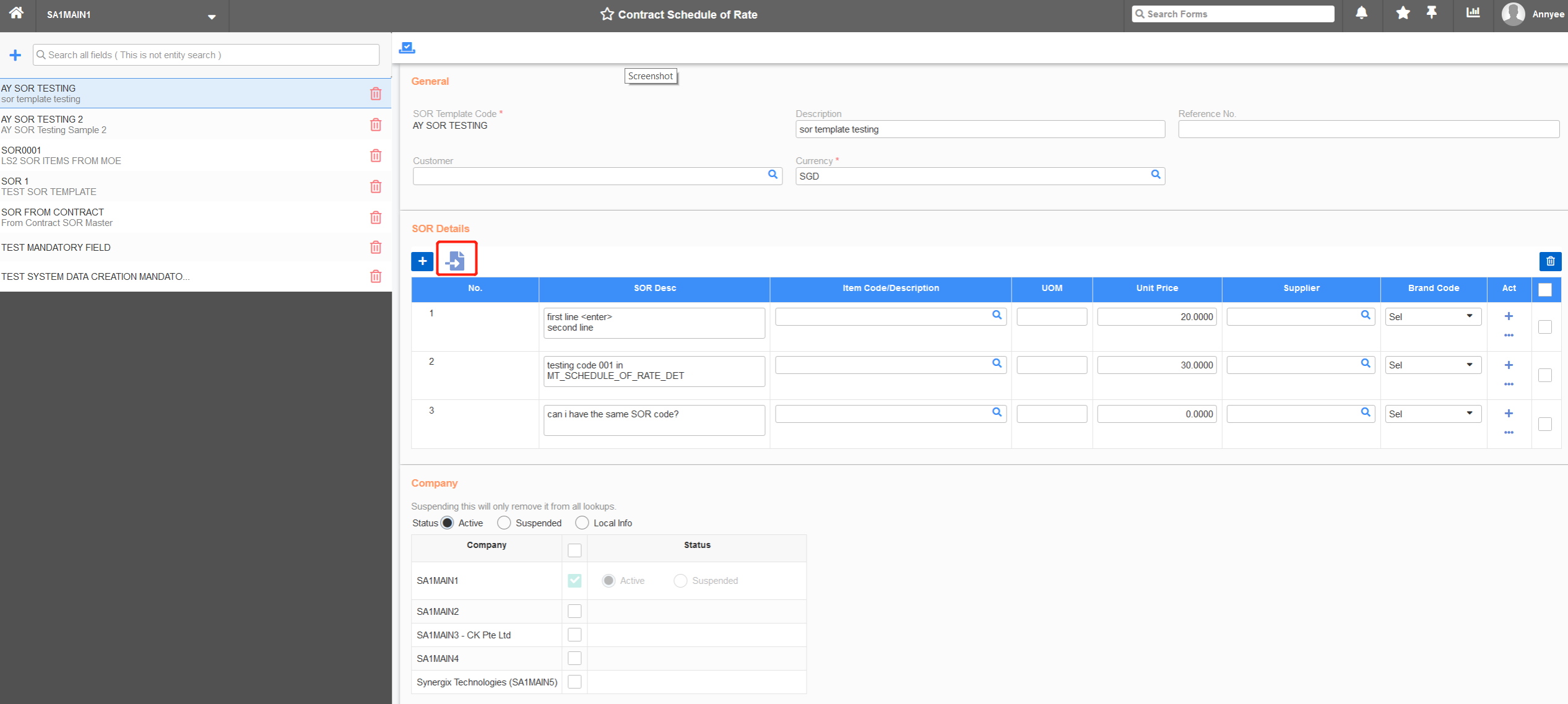
Import Button in Contract Schedule of Rate (SOR) Master screen
We have also added a new column to allow users to key in the schedule of rate code. From now, the schedule of rate code and schedule of rate description is in 2 different columns to align with Project module.
-
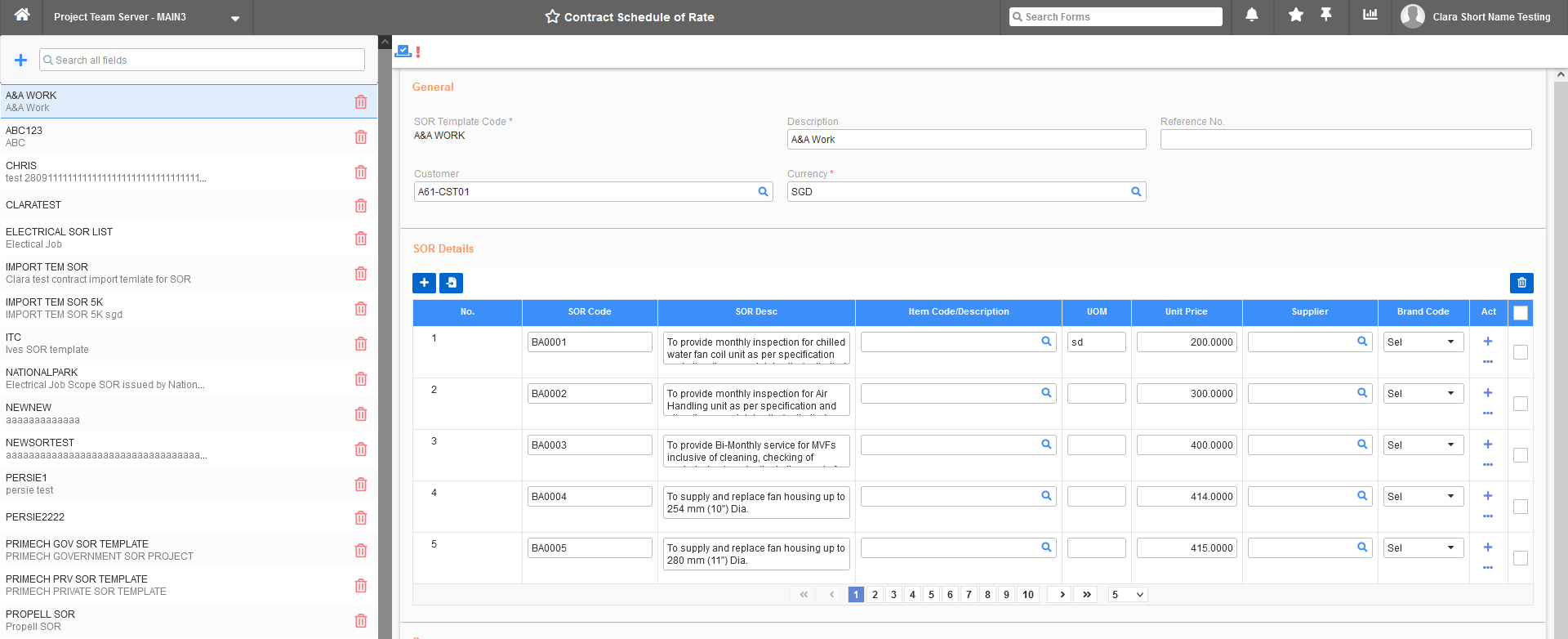
Contract Schedule of Rate Master screen
2. Folder Form – Layout of Attachment Panel in Project Quotation and Project Order (FC: TH6_PJ_PROJECT_ORDER_E2, TH6_PROJECT_QUOTATION_COSTING_SHEET_BY_ITEM_COD_E2, TH6_PROJECT_QUOTATION_COSTING_SHEET_BY_ITEM_COD_V1)
Previously, we used to have a module configuration – “Layout of Attachment Panel in Project Quotation and Project Order” with the default value is table form. All other screens are in folder form and do not match with this module configuration. Hence, we made a change for Project Quotation and Project Order screens to be consistent with other screens.
3. Display Table status filter at Service Order Performance Summary Screen (FC: TH6_SV_SERVICE_ORDER_PERFORMANCE)
In Synergix ERP solution, we have made an enhancement to maximise Service Order Performance Summary Screen’s user-friendliness. Precisely, we have added table status filter feature to Service Performance tab. The status filter options will be displayed in below sequence:
- Pending for Performance
- Performance in Progress
- End Work of the Day
- Need More Days
- All Done
SCM & MFG
1. Default To Include New Address and Contact in Customer and Supplier Maintenance screen (FC: 6055, 6059)
In Synergix ERP system, we made enhancements in Supplier Master and Customer Master screen to make it easier for customers and suppliers to create new address and contact.
In Customer Master screen, from now, when creating a new Address / Contact Code by input code value, ERP system will auto select “Sales”, “Ship to” and “Customer Billing”.
If there is no other address / contact code, the system will set this new code to default (include “Sales”, “Ship to” and “Customer billing”).

Customer Master screen
In Supplier Master screen, when creating a new address/contact code by input code value, the system will auto-select “Purchase” and “Payment to Supplier”.
If there is no other address/contact code, the system will set this new code to default (including “Purchase” and “Payment to Supplier”).
-

Supplier Master screen
- Contact Us