


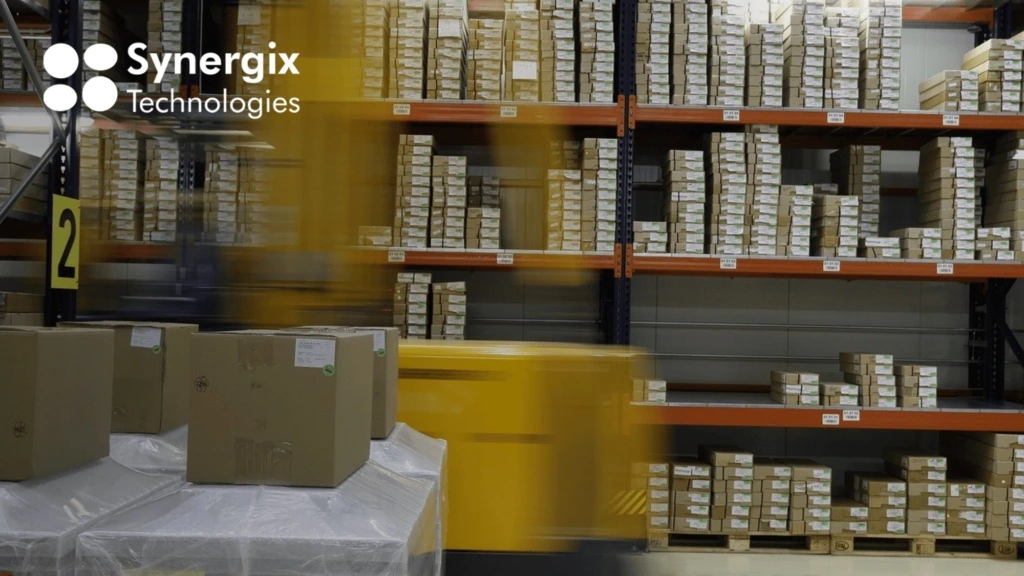
A warehouse management system (WMS) is software that records and directs how stock moves inside a warehouse: what arrived, where it was put away, where it sits now, what to pick next, and what left the building. It holds the stock record that purchasing, sales and finance all read from.
This guide covers what a WMS does, the types on the market, what to ask in a demo, what drives the price, and how to work out whether a standalone WMS or an ERP system is the better buy for your operation. If you are fixing the process and not yet shopping for software, start with our all-in-one guide to warehouse management.
What a Warehouse Management System Does
A WMS does not add a new activity to your warehouse. It replaces the manual version of something you already do and records it as it happens instead of an hour later from a handwritten note.
| Function | What it replaces |
|---|---|
| Inbound receiving | Checking a delivery against the purchase order on paper, then keying it in later |
| Put-away direction | A storeman deciding where stock goes and being the only person who knows |
| Location management | A spreadsheet of bin codes, or nothing at all |
| Pick direction | A printed pick list in the order the lines were typed onto the sales order |
| Replenishment | Someone noticing that a forward pick face has run empty |
| Stock counting | An annual shutdown with clipboards and a reconciliation afterwards |
| Dispatch documentation | Re-keying the delivery order into the accounting system |
| Reporting | A manual month-end tally of picking errors and late dispatches |
4 Types of Warehouse Management System
The market is not one product category. These four are bought by different businesses for different reasons.
1. Standalone WMS
- Suits: High-throughput operations with complex picking, where warehouse execution is the core of the business
- Trade-off: Has to be integrated with your purchasing, sales and accounting systems. That build is quoted, maintained and upgraded separately
2. Warehouse management inside an ERP system
- Suits: SMEs running one or a few conventional warehouses, where stock data has to reach finance anyway
- Trade-off: Less depth on advanced execution such as wave or voice picking
Read more: What is ERP and how does it work?
3. WMS inside a 3PL or logistics platform
- Suits: Third-party logistics providers storing and handling goods for multiple clients
- Trade-off: Built around client billing and multi-tenancy, which is overhead if you only hold your own stock
4. Warehouse control software from an automation vendor
- Suits: Sites with conveyors, automated storage and retrieval, or robotics
- Trade-off: Strong at driving that specific equipment, weaker as a general stock system
Any of the four can be cloud-hosted or run on your own servers. Cloud removes the server and the patching. On-premises matters where data residency or infrastructure control is a requirement, which is common in marine engineering, manufacturing and construction.

WMS Features to Check
| Feature | Why it matters |
|---|---|
| Location structure | A flat list of bin codes stops working past a few hundred positions |
| Lot, batch, serial and expiry | Recalls, warranty claims and first-expired-first-out picking all depend on it |
| Put-away and pick direction | Determines whether a new hire is productive on day one or shadows someone for a fortnight |
| Handheld counting | Cycle counting only works if dispatch can continue while you count |
| Unit of measure and pack size | Buying in cartons and selling in units is where stock figures break |
| Landed cost | Freight and handling left out of stock value makes every margin downstream wrong |
| Integration | The difference between one system and two |
| Multi-site transfers | Without visibility across sites, each one holds its own safety stock of the same item |
| Reporting | If the answer involves exporting to Excel, nobody will run it weekly |
One rule for the demo: use your own item codes, your own pack sizes and a real order from last week. A vendor’s demo data is built to make the software look effortless.
Do You Need a Standalone WMS or an ERP System?
This is the decision that most affects the total cost, and it is usually made last. Three questions settle it.
- How complex is your picking? Standard order picking, where a picker takes a list and walks the warehouse, is handled well by warehouse management inside an ERP system. Wave picking, batch picking by zone, voice picking or driving automated equipment is where a standalone WMS earns its price.
- Where does the stock data need to end up? If a goods receipt has to reach the purchase order, and a pick has to reach the sales invoice, then the warehouse data has to arrive in your finance system either way. An ERP system does that because the records are already in the same place. A standalone WMS does it through an integration you pay to build and keep working.
- How many facilities, and whose stock? One or two conventional warehouses holding your own goods points to the ERP route. Multi-client storage, cross-docking at volume, or a site built around automation points to a standalone system.
The cost most SME buyers miss is the integration. A standalone WMS has to be connected to the systems holding your purchase orders, sales orders and ledger. That connection is quoted separately, maintained separately, and needs attention again whenever either side is upgraded.
For a business running two conventional warehouses, you pay twice: once for the WMS, and again for the connection that makes it talk to your accounts.
Read more: The difference between a WMS and an ERP system
What a Warehouse Management System Costs
Vendors price WMS in different ways. Work out which model each quote uses before you compare anything.
- Per named user. You pay for every person with a login, whether or not they are on shift.
- Per concurrent user. You pay for simultaneous sessions, which suits shift-based warehouses.
- Per site. A flat figure per warehouse, with users unlimited or capped.
- Per transaction or order volume. Common in cloud and 3PL platforms. Cheap at low volume. The bill tracks your order count, not your headcount.
- Licence plus annual maintenance. A one-off purchase with a recurring percentage for support and upgrades.
The costs that are not in the quote
Most SMEs compare licence prices and are surprised by the rest. Ask for all of these in writing before you compare anything:
- Implementation and configuration
- Data migration: item master, locations, opening stock balances
- Integration to finance, purchasing and sales, if the WMS is standalone
- Hardware: handheld scanners, label printers, and wifi coverage that reaches the back of the racking
- Training, including a plan for seasonal and temporary staff
- Annual maintenance, or the subscription uplift at renewal
- Your own staff’s time during testing and go-live. Nobody invoices for it, but it comes out of running the warehouse
Singapore SMEs can claim part of their qualifying digitalisation spend under EnterpriseSG’s EDGE Grant, which replaced PSG, EDG and MRA on 30 September 2026. A vendor with the cheaper licence and the smaller eligible scope can finish more expensive once you net it off.
Why Singapore SMEs Choose Synergix ERP Software
Synergix is one ERP system. Warehouse management is part of it, alongside purchasing, sales, costing and the ledger, so there is no integration project between the warehouse and the accounts.
Here is what Synergix can show you:
- Four-level sub-locations: Each warehouse breaks into zone, area, row and bin, so a pick list points to an exact position.
- Lot, serial and expiry tracking: Captured at goods receipt, with near-expiry lots reported as a list so stock moves while it can still be sold.
- Mobile stock take with summary: Counting runs on a handheld while dispatch continues, and the summary shows what was counted, what varied and by how much.
- Pack size adjustment: Receiving in one unit of measure and selling in another, without the stock figure drifting.
- Additional cost adjustment: Freight, shipping and handling allocated back onto purchased goods, so stock is valued at what it cost to land.
- Transfer orders and inventory enquiry: Movement between sites and a live stock position, reading and writing the same record as everything else.
- Demand Forecast AI: Reads sales history, seasonality and promotions to recommend reorder timing and quantity by item and by warehouse.
- Reorder alerts: A reorder level and quantity held per item, so the system flags replenishment before a shelf runs empty.
Because inventory, sales and procurement are parts of the same system, a goods receipt posts against the purchase order and a pick posts against the sales order without anybody re-entering the figures.
Synergix is a Pre-Approved Solution under the IMDA SMEs Go Digital programme, so Singapore SMEs can claim business grant support on qualifying costs.
Want to know what your project could claim? Our ERP grants page carries the current support levels, caps and claim timing, updated as the scheme settles. Or speak to a Synergix consultant, and we will map the eligible scope against your own requirements before you commit to anything.